




Domains & Hosting: What are they?
So what is a host and a server? What is a domain name? These are two main elements needed in order to have your website show up on one's browser.
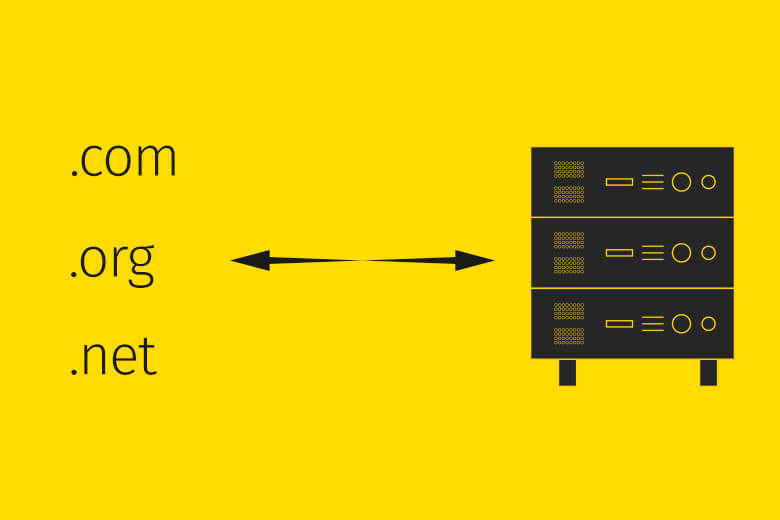
I’ve noticed that many clients don’t understand what a domain name is and what is a host, server and so on. So what are they and why do you need them? I'll explain the basics. :)
What is web hosting?
A website is just a bunch of text-based files that contain code (HTML, CSS, JavaScript, etc.) which are basically instructions that need to be read, understood and followed. In order to do that, you need a “server”. So what is a server, you ask? Basically, it's just another computer. Only, this computer isn't located in your home or office but rather in “The Cloud” (which is a user-friendly way to call the Internet). These computers are located in some company’s building and serve your website’s files to any computer that requests them (i.e. your computer or device). This company is called a “host” - they host the servers that contain your website files that contain the code.
Servers can run different programming languages, such as PHP, ASP.NET, Node.js or Python, usually on a Linux or Windows operating system. There are advantages and disadvantages for both, but I won't get into them.
There are, of course, many more features and choices to make when choosing the right hosting company, but this should be explained to you by your developer and he or she will recommend the right plan that you need to choose. They include storage space, bandwidth, the number of websites/domains you can host in that account and much more. All of the hosts also offer many extra features in your plan like free apps to install, easy integration of certain functionality, 24 hour support, and so on. The costs for hosts vary but for most sites, it shouldn’t cost more than $10-$12 per month (and even that can be considered expensive).
One thing to know before you shop around: if your site is on Shopify, Squarespace, Wix or a similar platform, the hosting is already part of your monthly plan. You don't buy hosting separately. You only need the domain name and to point it at the platform.
Shared hosting vs. VPS vs. dedicated servers
One more aspect that I think is important to know is that there are shared hosting plans, VPS and dedicated servers. The main difference between them, as the name suggests, is that you either share the server with more customers or you have your own dedicated one. This matters if you’re going to have a very big website, with a very high level of traffic, security requirements and the need for power and speed. In a shared server, everything is shared: Processing (CPU) power, memory, disk space, etc. So one website may affect another because they are sharing resources. For instance, one website may be using more memory which will lower the amount of available memory for others. With a dedicated server, it’s all yours. And of course, there is always something in between and that is a VPS server. The CPU and memory are shared but portions of each are dedicated to each account.
For most people's needs, a shared hosting plan is enough. There is no need to spend significantly more money per month ($50 - $200 and more) unless your business heavily relies on strong, fast and secure servers and that you will have a team monitoring and up-keeping them.
What is a domain name and how does it find your server?
So, now you have somewhere to place the website files. But how does one visit the website? That’s where the domain name (ie “address”) comes in and this is the second part of the equation. The server, like any computer, has an IP address in order to identify and locate the computer. So once you buy a domain name, you “attach” the server's IP address to that domain name. Now the address is “pointing” to the server and so when someone types in an address into the browser, that address sends the browser to the correct server to run the website files and the website is displayed on the screen!
The system that does the “attaching” is called DNS (Domain Name System). It's basically the phone book of the Internet. There are two settings you'll hear about:
- Nameservers decide which company manages your domain's DNS. By default it's the company you bought the domain from, but you can point the nameservers to your host instead.
- DNS records are the individual entries in that phone book. An A record points the domain to a server's IP address. A CNAME points one name (like www) to another name. An MX record tells the world where your email should be delivered.
When you change any of these, it isn't instant. DNS changes are cached around the Internet, so it can take anywhere from a few minutes to a day or two before everyone sees the new setting. If the site looks right on your phone but not on your laptop, that's usually why.
Registrar vs. host: do they need to be the same company?
No. The company you buy the domain from is called a registrar. The company that stores your website files is the host. They can be the same company, and many hosts sell domains too, but they don't have to be. Plenty of sites keep the domain at one company and the hosting at another, and simply point the DNS from one to the other.
Keeping them separate has one big advantage: if you ever want to leave your host, you just point the domain somewhere else. Your domain doesn't move with the hosting and you're not stuck.
If you do want to move the domain itself to another registrar, you'll need a transfer code (also called an Auth-Code or EPP code) from your current registrar. Also note that registrars are allowed to refuse a transfer if the domain was registered or transferred within the last 60 days.
Whatever you do, make sure the domain is registered under your name and in an account you can log into, even if your developer manages it for you. The domain is part of your business. If it lives in someone else's account and that person disappears, getting it back can be a real headache.
What about SSL and email?
Two more things usually come up at this point.
SSL certificate. This is what puts the “https” and the lock icon in front of your address, and it encrypts the connection between the visitor and the server. Browsers mark sites without it as “Not secure”, so every site needs one today. Most hosts include a free certificate (often from Let's Encrypt) and renew it automatically, and platforms like Shopify include it as well. Paying extra for a certificate is rarely necessary for a regular business site. Certificates now have to be renewed more often than they used to (the maximum lifetime dropped to 200 days in March 2026 and keeps shrinking through 2029), which is one more reason to use a host that renews them for you.
Email. Having a domain doesn't automatically give you email at that domain. You either use the email that comes with your hosting plan or a separate service like Google Workspace or Microsoft 365, which is usually billed per mailbox, per month. Either way, the MX records in your DNS decide where your email goes.
A very common mistake: someone changes the nameservers to point the website at a new host, and their email stops working. That's because the old DNS had the MX records and the new DNS doesn't. Before you change nameservers, write down (or screenshot) every existing DNS record and recreate the email ones at the new place.
How much do a domain and hosting cost?
A domain name typically costs around $12 - $20 per year for a .com, depending on the registrar, and the base price for .com has been going up a little every couple of years. Watch out for the first-year price, though. Many registrars and hosts offer a very cheap first year and then renew at the regular price, which can be two or three times as much. Always check the renewal price before you buy, not just the sale price.
So when budgeting a website, you need to take into account that cost of the domain name and hosting. For most customers, this would be about $130 - $170 per year. There are different plans and discounts that affect the cost so this estimate is really just an estimate.
What happens if your domain expires?
Turn on auto-renew and keep the payment card on file up to date. Registrars have to send you renewal reminders about a month and a week before the expiration date, but those emails often go to an old address nobody checks.
If the domain does expire, the website and the email both stop working. Many registrars give you a short grace period where you can still renew at the normal price. After that, the domain can go into a 30-day “redemption” period, where you can usually still get it back but for an extra fee. Once that's over, the domain is released and anyone can register it.
If you're changing your domain on purpose (a rebrand, for example), keep the old one and set up redirects to the new one so you don't lose your search rankings. We explain how in our post about 301 redirects.
Hosting and domains are only part of the yearly cost of a website. If you want the full picture, see how much website maintenance should cost.
Now you need Abra to create your website!
Wondering what shape your own site is in?
Get a free 27-point Website Health Check - security, speed, accessibility and SEO. Plain English, no pitch.
Check my site