Girl Friday books errands, cleanings, organizing sessions and event prep for clients across Los Angeles, and sends independent vendors out to do the work. Every one of those jobs used to live in a shared calendar, a phone, and somebody's memory. We built the system that replaced all three: a single place to schedule a job, assign the vendors, price it, notify everyone involved, and invoice it when it's done.
The Challenge
The schedule was the business, and it lived in a calendar. Bookings, vendor assignments and client notes were spread across a calendar app, text threads and email. Nothing connected a job to the person doing it or the money it earned.
Vendors had no view of their own work. Every schedule change meant a phone call. Vendors couldn't check tomorrow's addresses, arrival times or job notes without asking the office first.
Reminders were manual. Someone had to remember to remind the client the day before, and remind the vendor after that. Missed reminders turned into no-shows.
Pricing and payouts were rebuilt every month. Each job carried a vendor rate and a company markup, and some jobs are billed hourly while others are flat rate. Working out what to invoice, and what each vendor was owed, meant reconstructing the month by hand.
The Solution
We built a role-based web application on a Laravel API with a Vue single-page front end, so the office and the field see the same data the moment it changes.
For the office
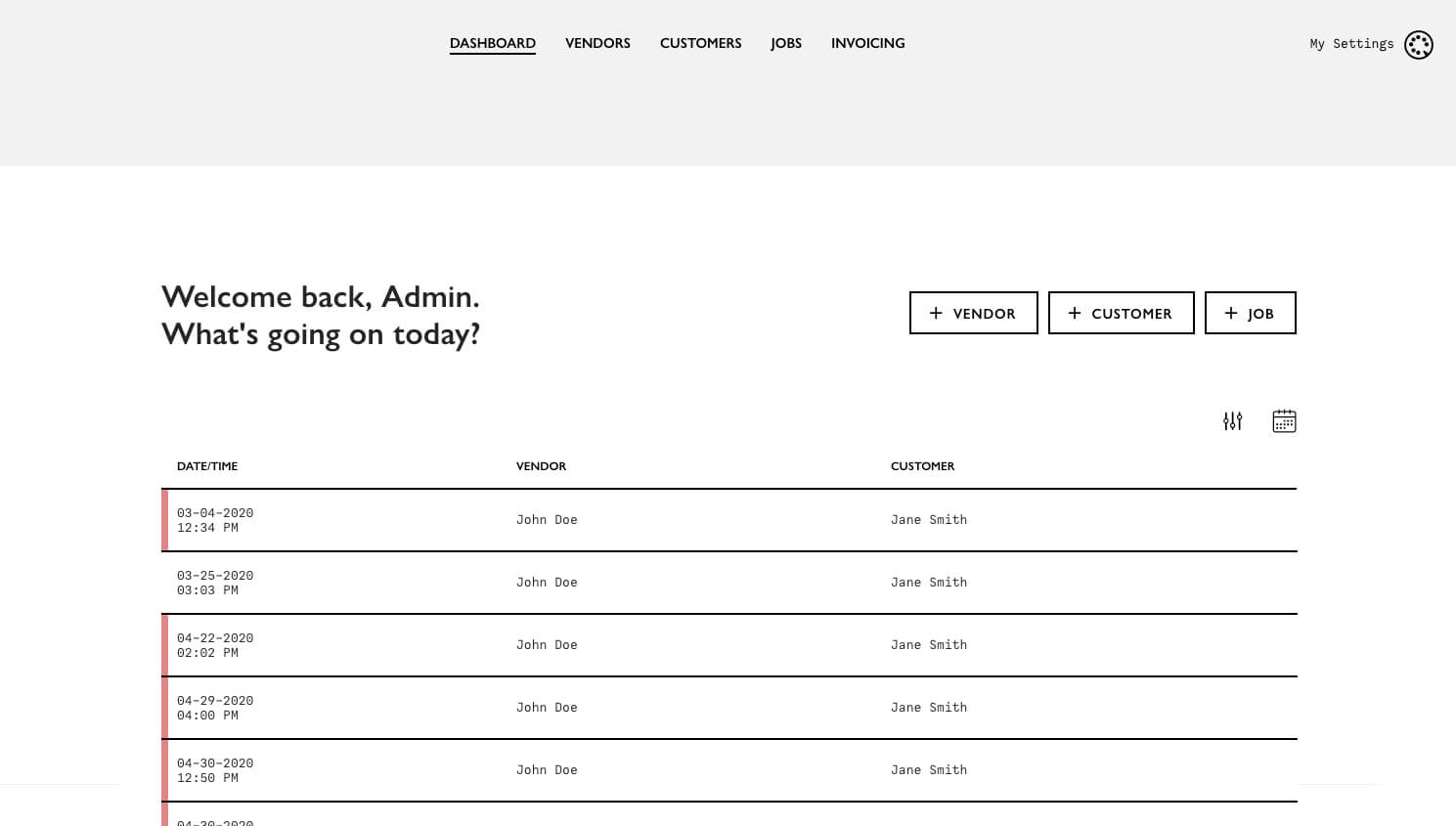
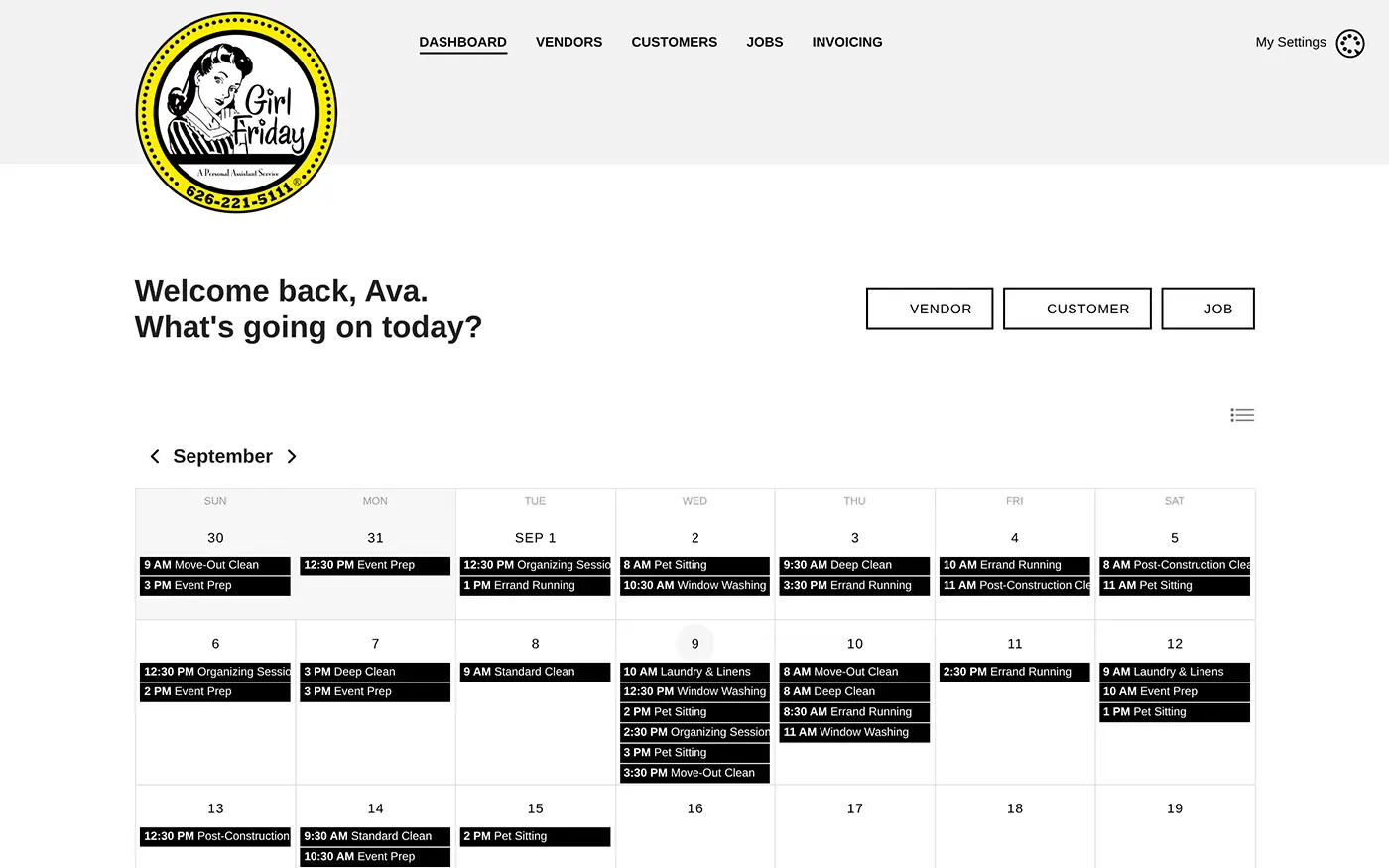
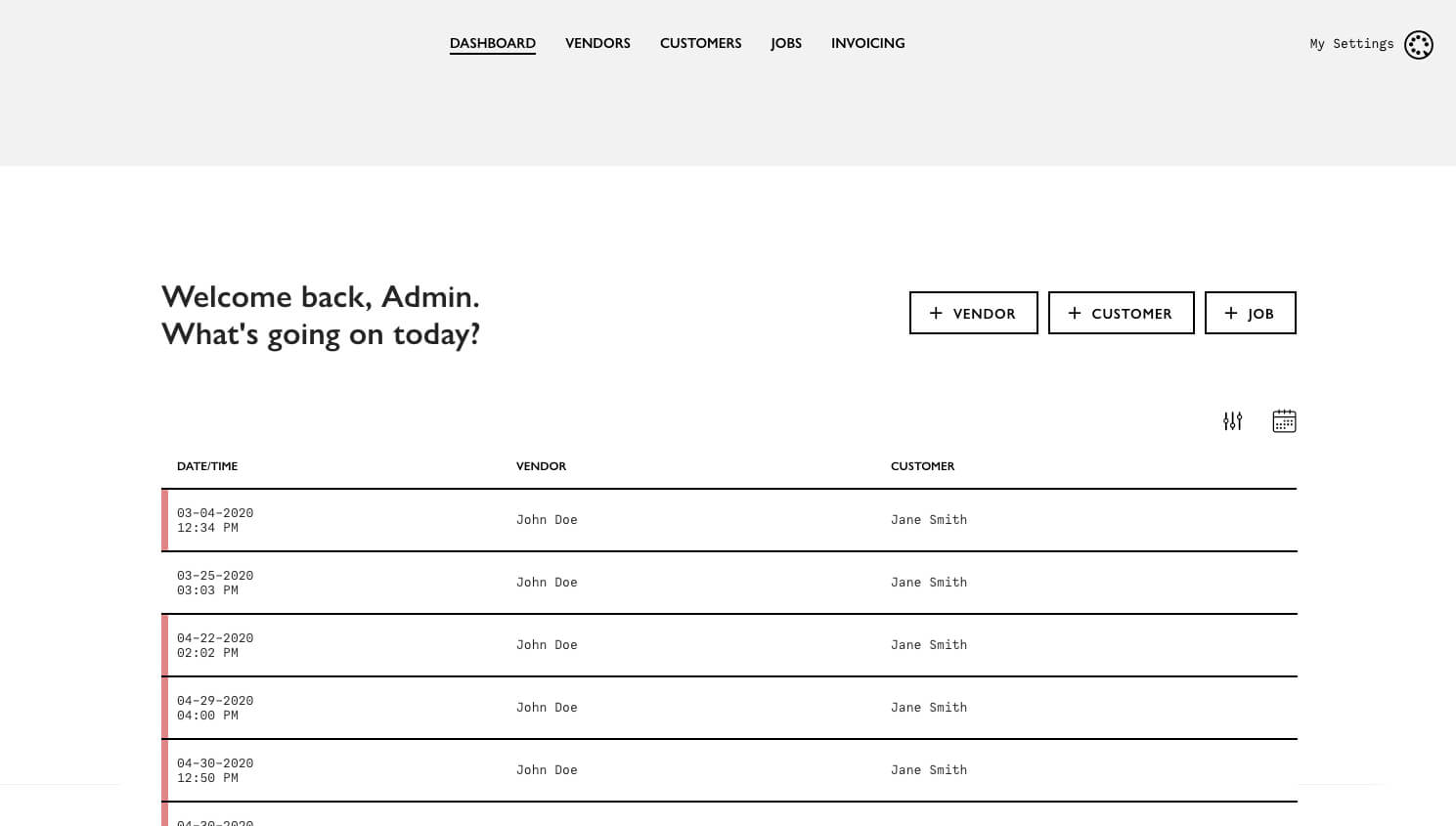
The dashboard opens on today. A day list shows every job with its time, vendor and client, and toggles between yesterday, tomorrow and history in one click. Rows are color-coded by status, so cancellations and completions read at a glance. A month calendar view gives the whole schedule in context.
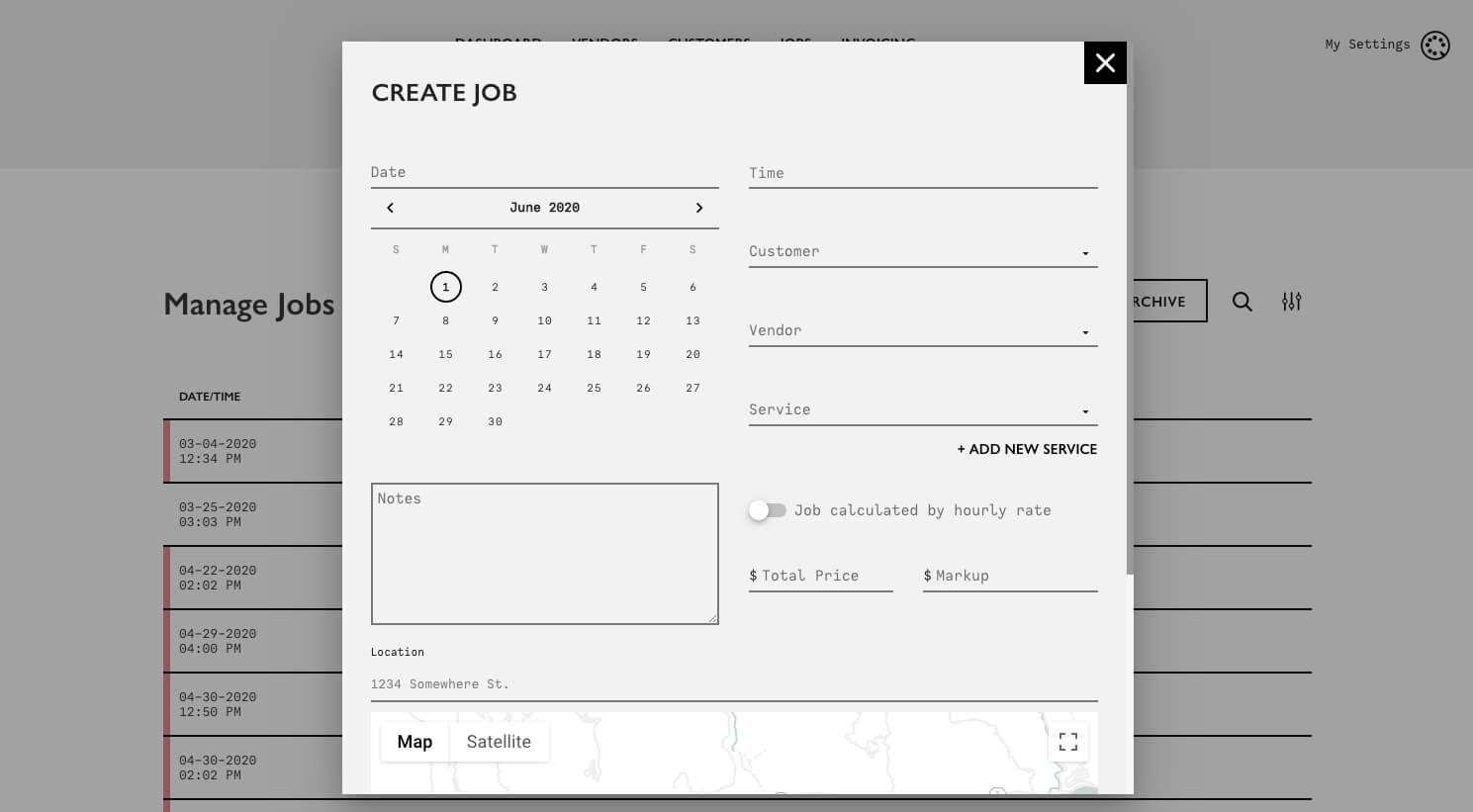
Creating a job is one dialog: pick the client, choose a service, set the date, start and end time, drop in the address with Google Places autocomplete, and attach the notes the vendor needs on arrival - gate codes, parking, pets, which rooms come first. Assign one vendor or several, and set each one's rate independently. A per-job toggle switches between hourly and flat-rate billing, and the total price and markup recalculate as you type.
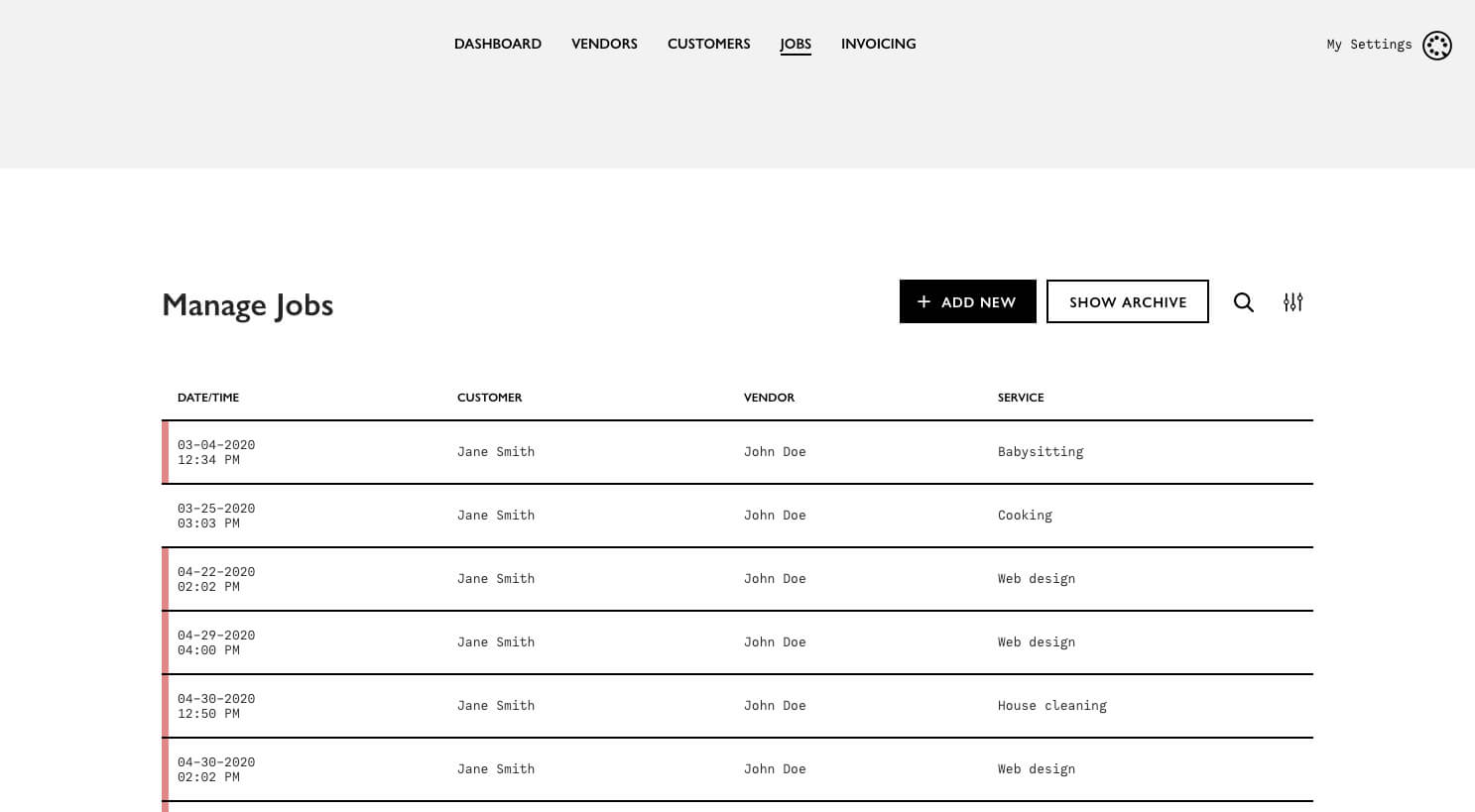
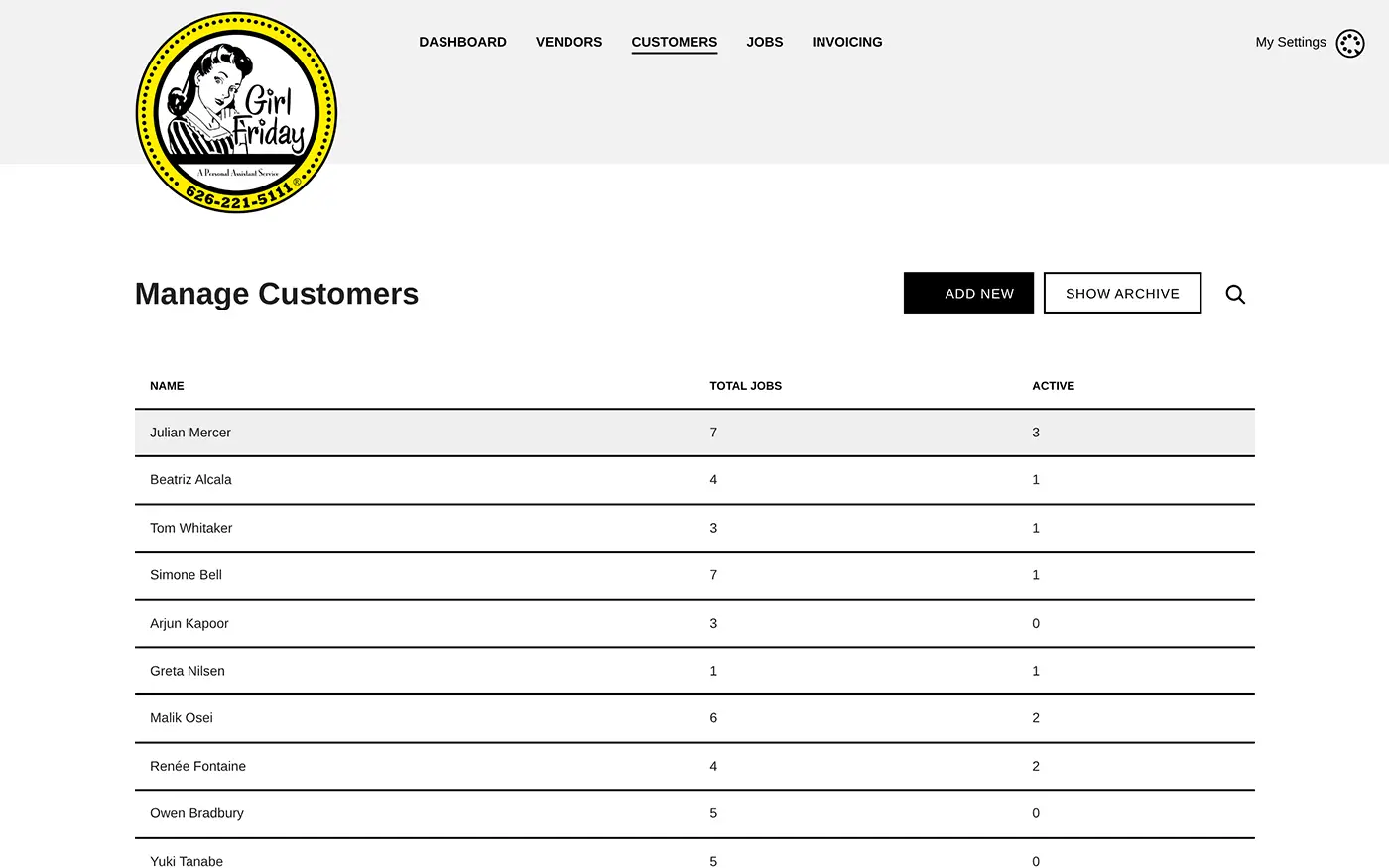
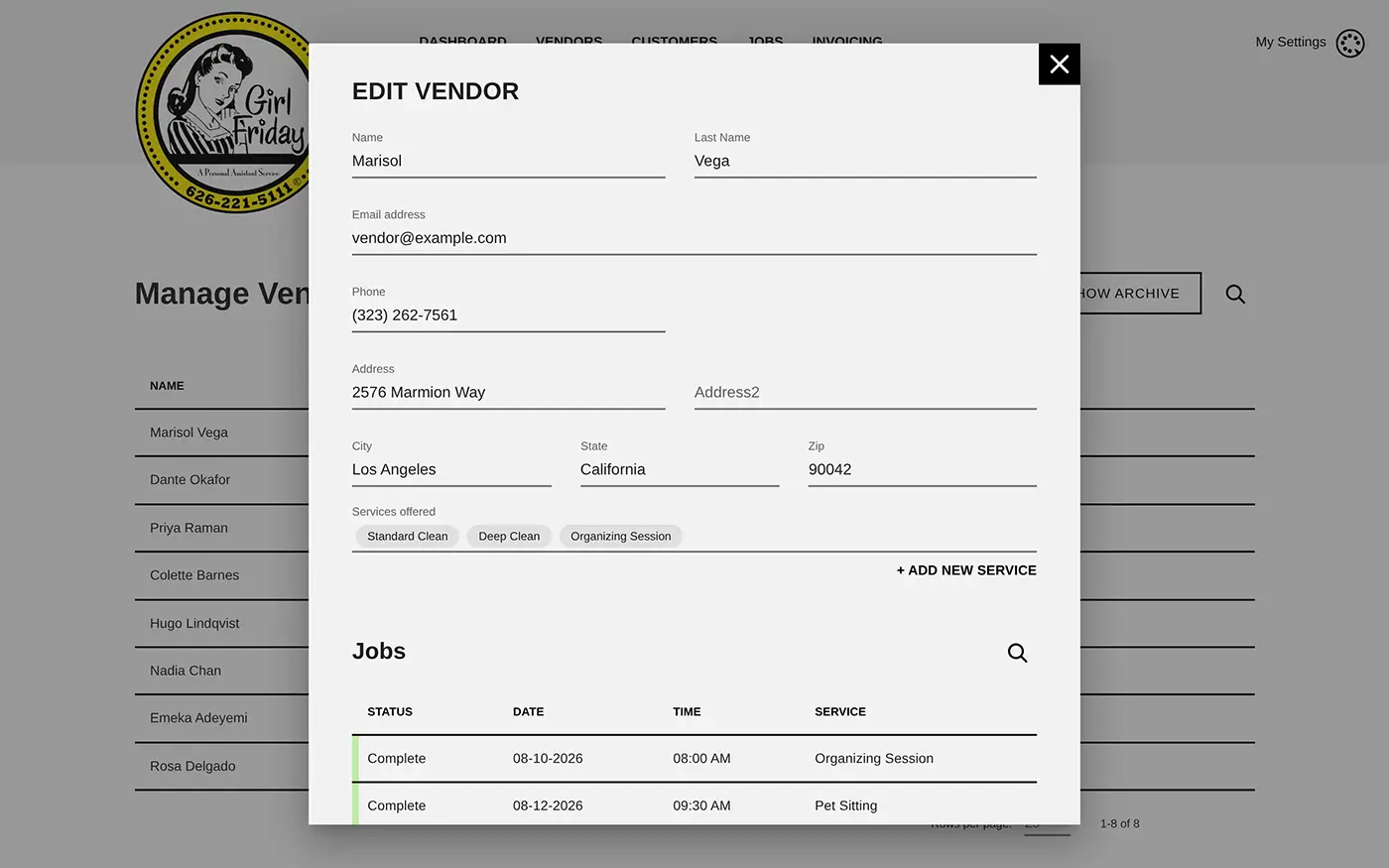
Clients, vendors and services are each managed in their own screen, and a vendor record carries the services that person is qualified for alongside their full job history. Nothing is ever hard-deleted: every record archives and restores, so a client who left two years ago still has their history attached.
For vendors
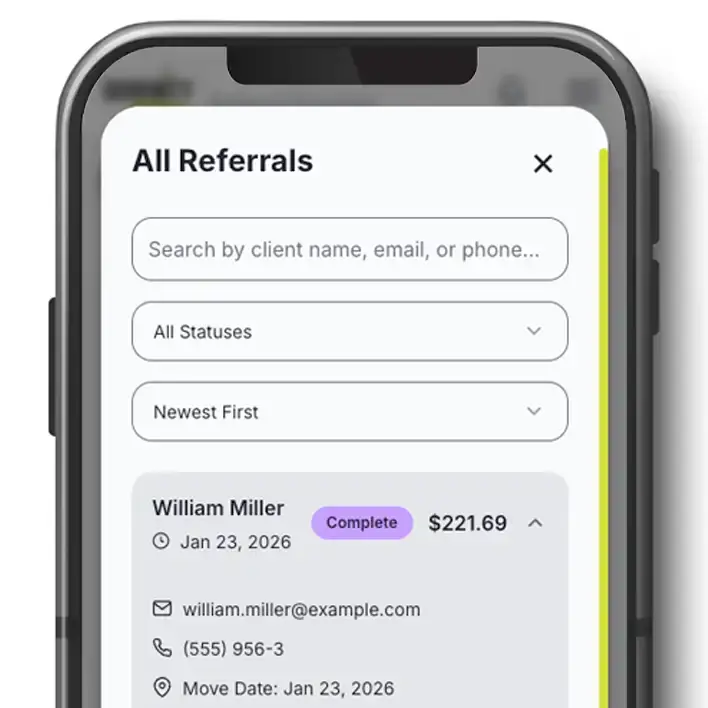
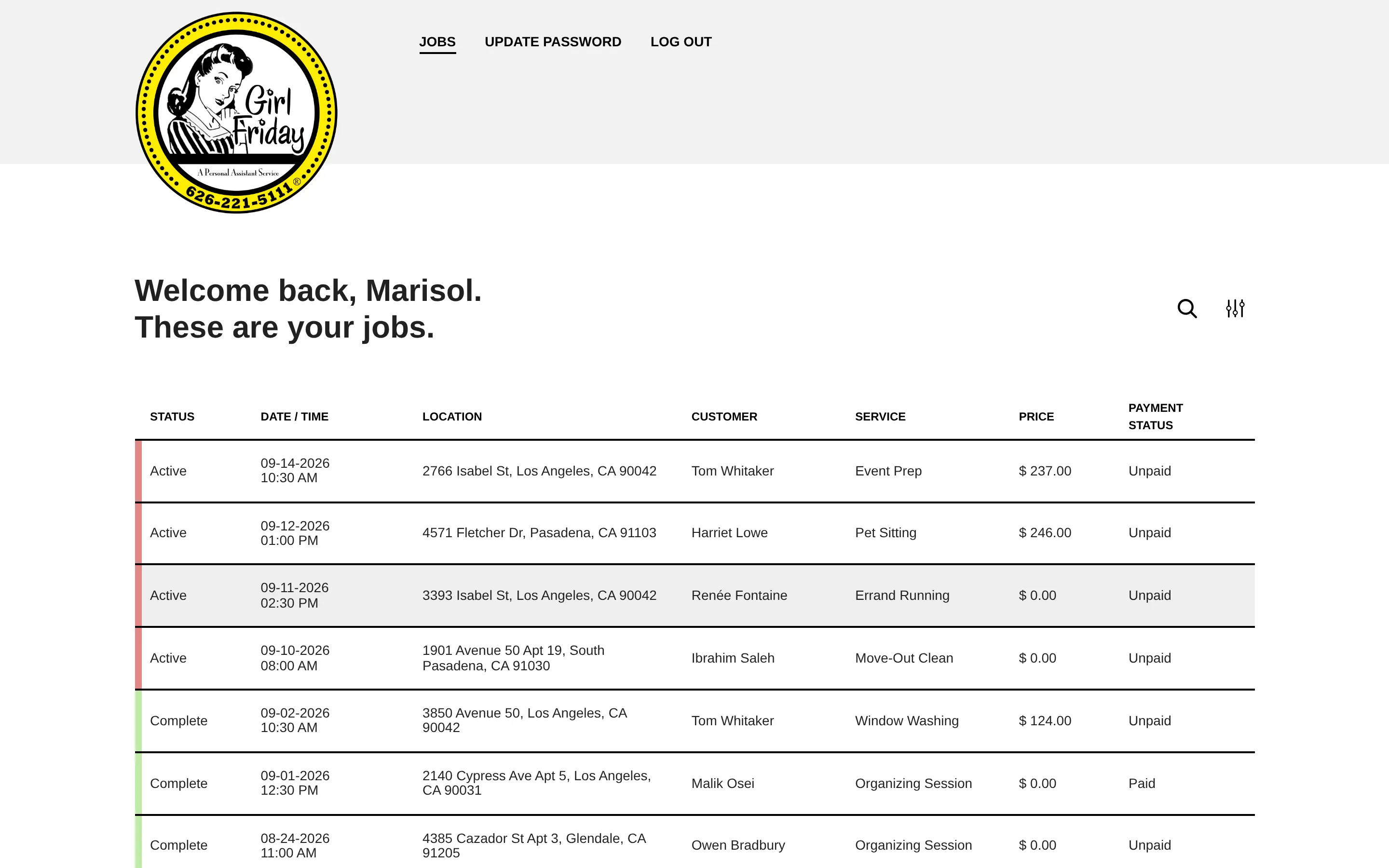
Vendors sign in to a portal that shows only their own jobs - status, date and time, address, client, service, their rate and whether they've been paid. It is the same responsive interface, built to be used on a phone between appointments.
Notifications
New bookings, cancellations and completions trigger email and SMS to the client and to every vendor on the job. A scheduled task sweeps the calendar every fifteen minutes and sends both sides a reminder twenty-four hours before the appointment, with the service, the time and the address in the message. The office can also fire a reminder by hand from the job itself.
Invoicing
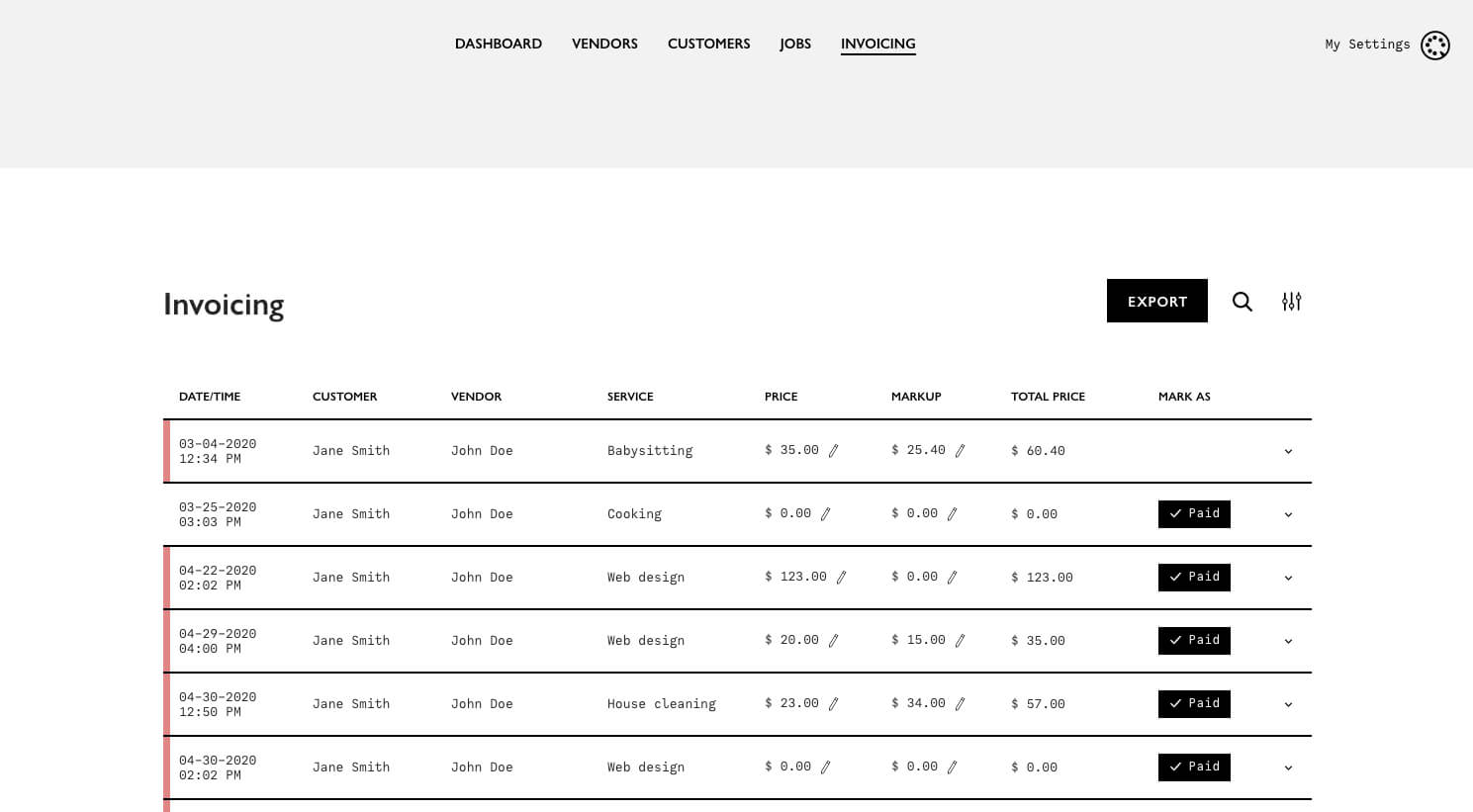
A single invoicing screen lists every vendor line for every job, with price and markup editable inline and a one-click paid/unpaid toggle. The whole filtered view exports to a spreadsheet for the bookkeeper.
Access control
Three roles - administrator, bookkeeper and vendor - are enforced on the API, not just hidden in the interface. Authentication runs on stateless JWT tokens.
The Outcome
Girl Friday runs its day out of one screen. Scheduling, dispatch, client and vendor records, reminders and invoicing all sit in the same system, and the history is complete enough to answer questions about jobs booked years ago. Vendors stopped calling the office to ask where they're going. The platform went live in 2020 and kept growing with the business through 2023 - most notably when multi-vendor jobs were added, letting a single booking carry a crew with individual rates instead of one assigned contractor.
What we built
- Hourly and flat-rate billing A per-job toggle switches modes and recalculates the total and markup live
- Automated 24-hour reminders A scheduled task sweeps the calendar every fifteen minutes and texts and emails both sides
- Transactional email and SMS New bookings, cancellations and completions notify the client and every assigned vendor, through Twilio
- Role-scoped vendor portal Vendors sign in to their own jobs only, enforced on the API rather than hidden in the interface
- Inline invoicing with export Price and markup edit in place, paid/unpaid toggles in one click, the filtered view exports to a spreadsheet
- Google Places address entry Job addresses autocomplete and store coordinates for mapping
- Multi-vendor job assignment One booking carries a whole crew, each vendor with their own rate and payment status
Selected Screens